migrate · six sources
Bring your CRMwith you.
Connect HubSpot, Podio, Salesforce, Pipedrive, Airtable, Notion — or a CSV. OpVault proposes the shape, you approve it, the data moves. The old system stays untouched.
Connect HubSpot, Podio, Salesforce, Pipedrive, Airtable, Notion — or a CSV. OpVault proposes the shape, you approve it, the data moves. The old system stays untouched.
Real rows, exactly as the source returns them. Map each column on its header, fix a cell, merge or split a column, then import. Nothing is written until you press the button.
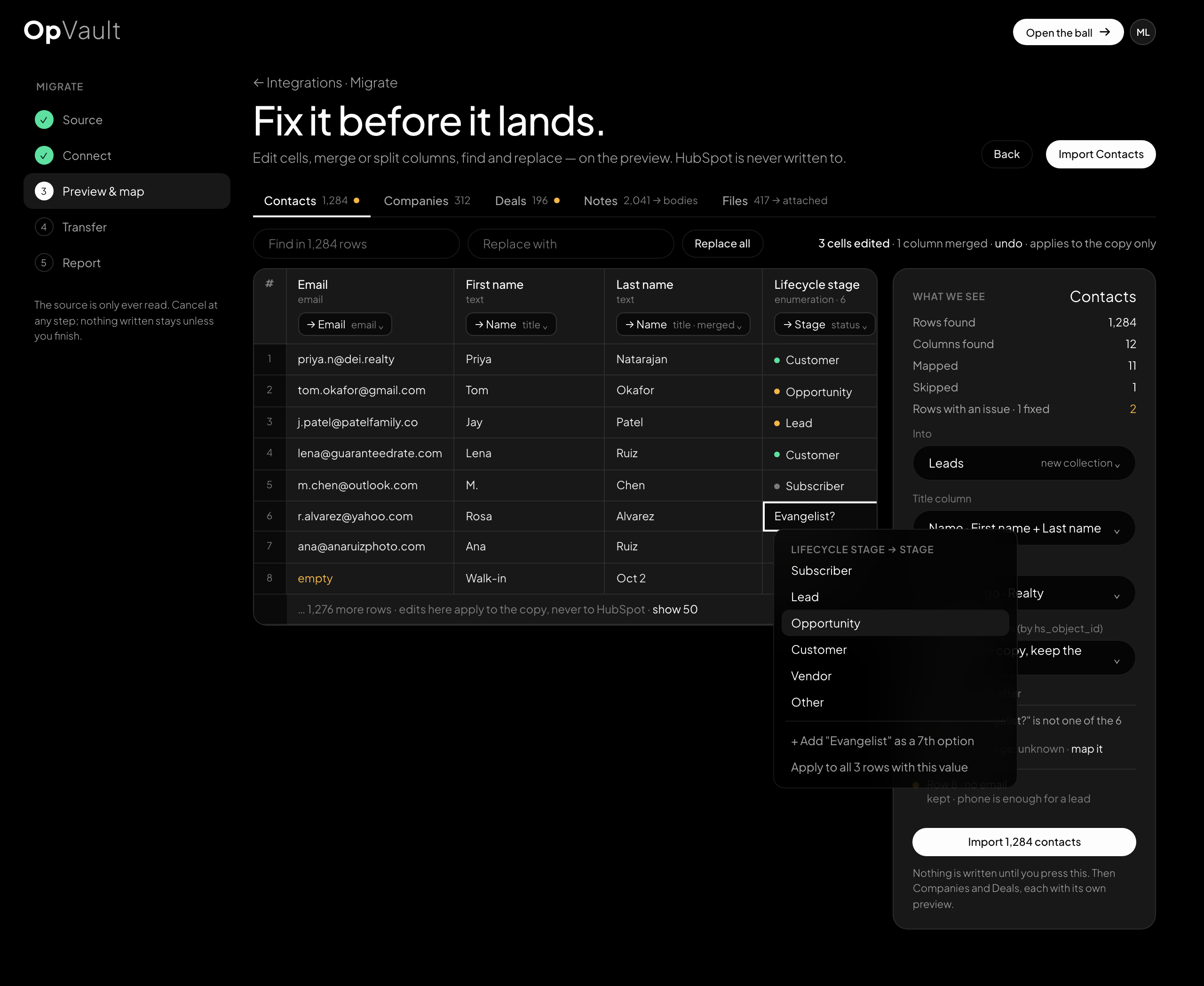
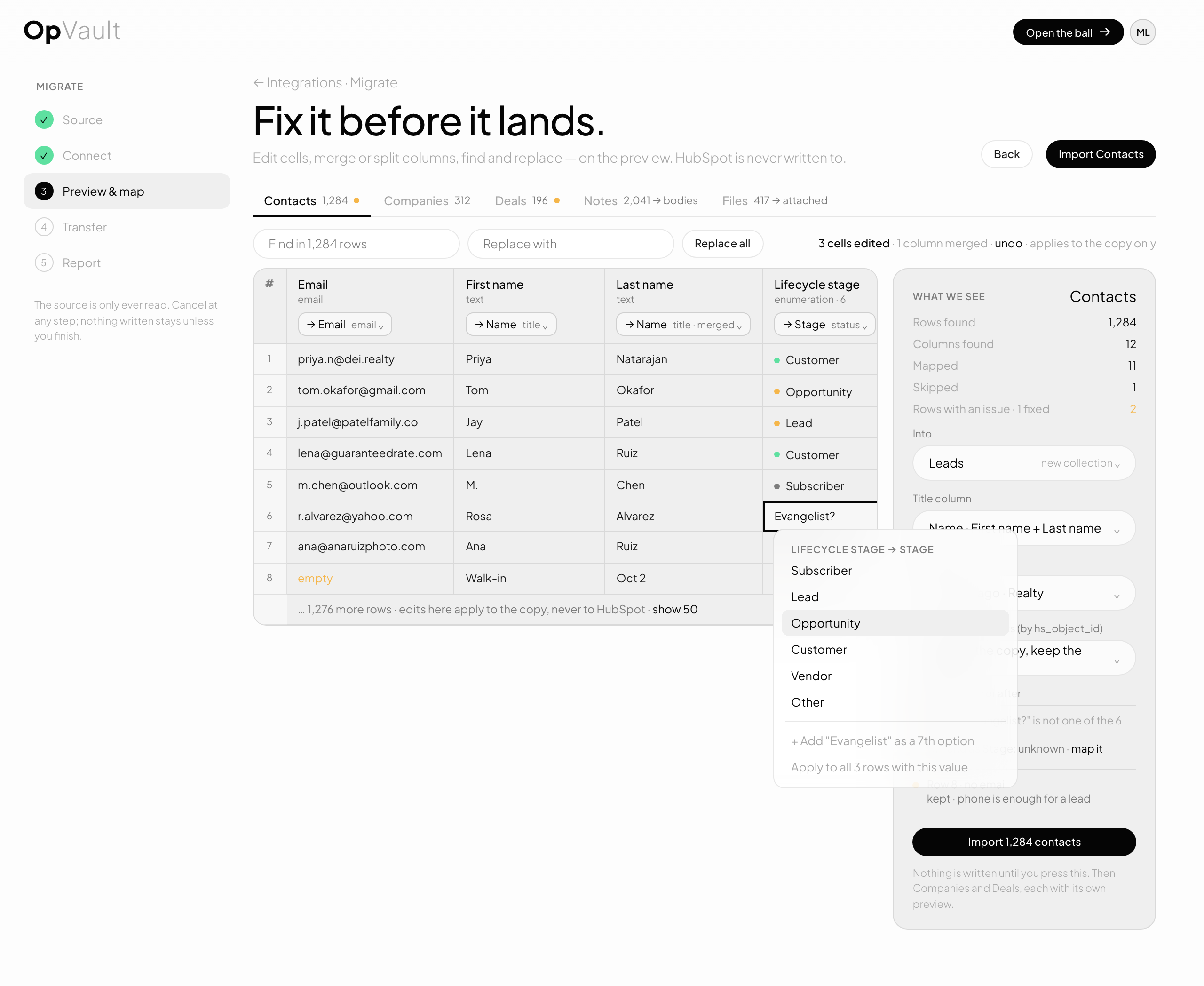
● copied as is ◐ copied with a mapping you approve — does not carry over. Automations never do: they are rebuilt in OpFlow, where they are audited.
OAuth for HubSpot, Salesforce and Pipedrive. A key for Podio and Airtable. A file for anything else.
OpVault reads the schema and shows the rows. You rename, drop or merge before anything is written.
Records come over with their notes and files. Every one keeps a cord to its source id.
Counts per object, what was skipped and why. Run it again any time; nothing duplicates.
It does not rebuild automations, sequences or email templates — those are workflows and live in OpFlow. It does not move users or permissions; invite your team and owners are set when you approve the mapping. Activity timelines come over as notes where the source exports them; otherwise they stay behind.
Migration opens with your vault. Join the list and say which CRM you are leaving.